OnlyFans PPV Follow Up Messages: Timing, Scripts and Automation
Learn when to send PPV follow-ups, which scripts to use, and how to automate reminders without sounding robotic.
Key Takeaways
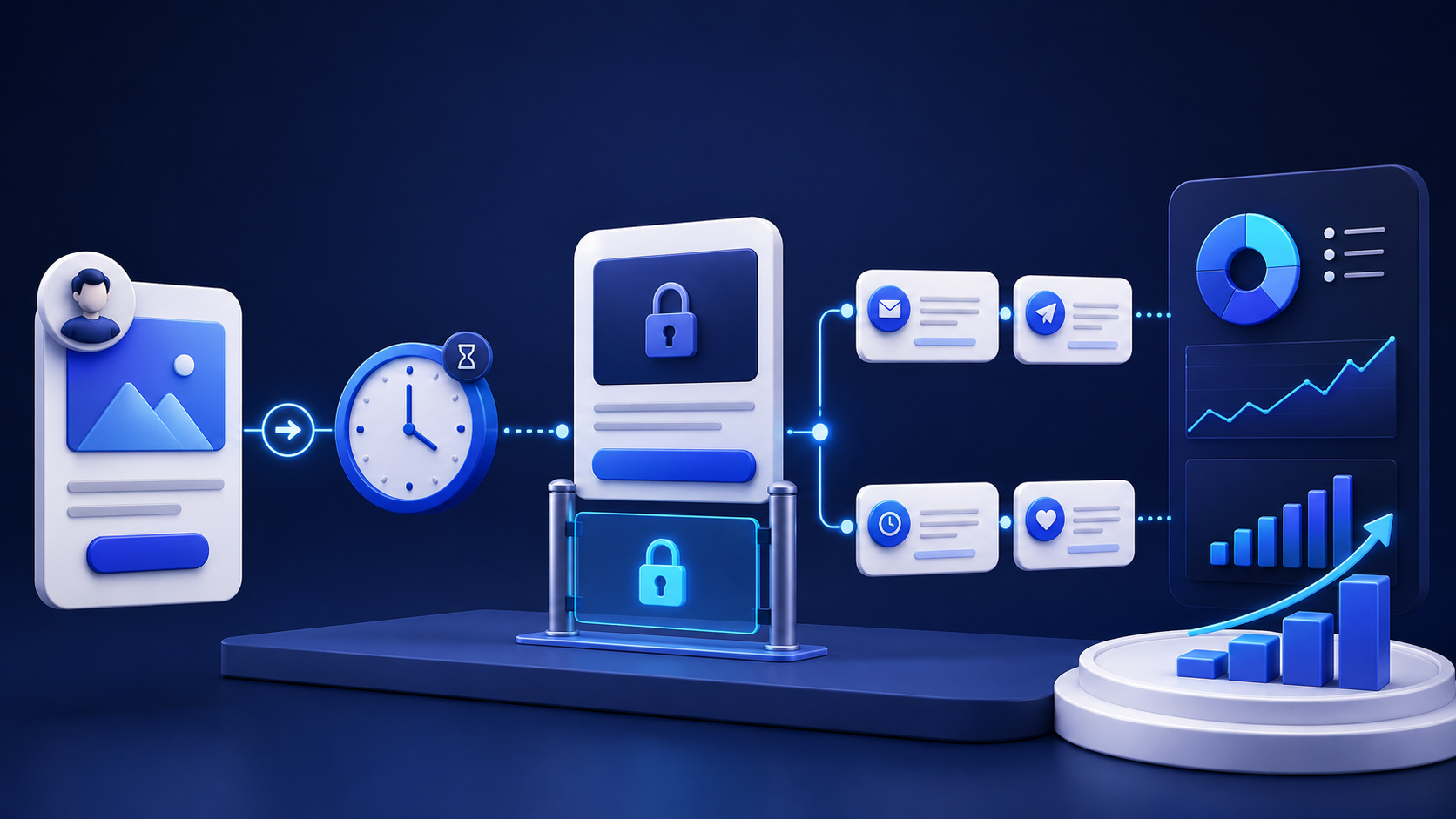
- PPV follow-up works best when it is based on fan behavior, not a fixed blast schedule.
- Send one message quickly, then change the angle after a pause instead of repeating the same pitch.
- Use open, purchase, and silence signals to route each fan into the right next step.
- Automation should handle timing and routing, while the message itself still sounds human.
- Track reply rate, unlock rate, and revenue per follow-up so you can keep only what converts.
Why PPV follow-up matters
Most PPV revenue is not won in the first send. It is won in the minutes and days after a fan reacts, hesitates, or ignores the offer. A good follow-up system turns one message into a short sales sequence that respects attention, creates urgency, and gives the fan another reason to buy.
The goal is simple: help the fan move from curiosity to decision without feeling chased. That means every follow-up should have a different job. One message can acknowledge the open, another can answer the likely objection, and a third can create a fresh entry point for fans who stayed silent.
What the follow-up is really doing
Follow-up is not just a reminder. It is a sorting layer. Some fans need more context. Some need a better price frame. Some were interested but not ready. Others never opened the message at all. If you treat them all the same, you waste sends and flatten the conversion curve.
That is why the strongest teams use PPV follow-up as part of a larger inbox workflow. They pair it with OnlyFans PPV pricing strategy, welcome message examples, and retention work so the same fan sees a coherent journey instead of disconnected pitches.
A simple timing framework
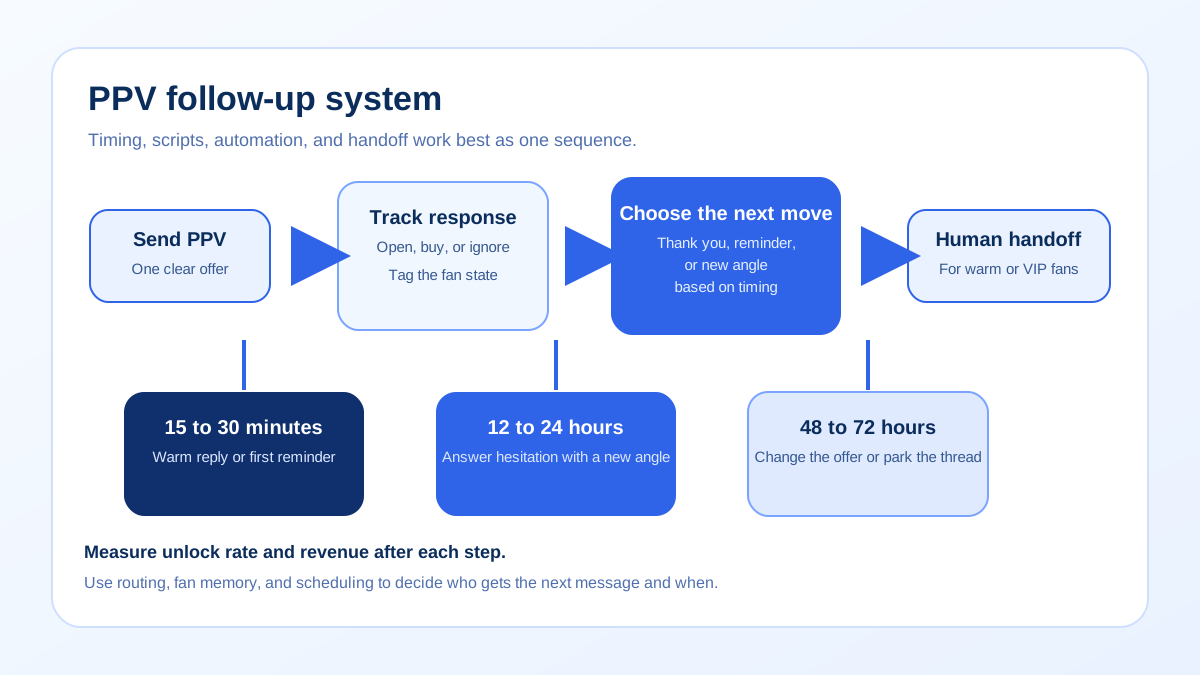
Use a three-window model. The first window is immediate and is designed to catch momentum. The second window gives the fan space to decide. The third window is for a different angle, a different offer, or a clean exit if the fan is not engaging.
| Window | Trigger | Goal | Best action |
|---|---|---|---|
| 15 to 30 minutes | Fan opened the PPV or replied with interest | Keep the conversation warm | Send a short thank-you, a context line, or a soft reminder |
| 12 to 24 hours | No purchase after the first open | Answer hesitation | Use a benefit-led follow-up, a lighter preview, or social proof |
| 48 to 72 hours | Still no conversion | Change the angle | Offer a different content angle, a time limit, or a new conversation starter |
| 7 days | Long silence | Re-engage or park the thread | Send a fresh offer, then stop if the fan remains inactive |
The point of the table is not to create a rigid rule. It is to stop you from sending the same message too soon. A fan who has not bought after an hour is not the same as a fan who has been thinking for two days. Let the timeline change the message.
Script library by scenario
Good scripts are short, specific, and easy to personalize. They do not read like a campaign. They sound like someone who knows the fan has already shown interest and is giving them one more reason to act.
1. After a purchase
Template: Thanks for grabbing that. If you liked the preview, I can send something that matches it even better later today.
Why it works: It acknowledges the purchase without closing the door. You are rewarding the fan and opening the next conversation naturally.
2. After an open but no purchase
Template: You probably saw the preview. I kept this one a little more private because the best part is what happens after the teaser. Want me to show you the full set?
Why it works: It reframes the content as a progression, not a static file. That gives the fan a clearer reason to unlock.
3. After silence
Template: I am not sure if this one was your style, so I can send a different angle later. If you want something more direct, I can do that too.
Why it works: It lowers pressure and offers choice. Fans often respond better to a reset than to a harder pitch.
4. After an expired interest window
Template: I saved something for later in case you were busy. If you want me to bring it back, I can send the version most fans ask for first.
Why it works: It creates a second chance without sounding needy. You are inviting the fan back into the thread on a new timeline.
5. After a weak conversion signal
Template: You looked at the teaser, so I think the concept is close. I can send a shorter version if that is easier to start with.
Why it works: It suggests a lower-friction entry point. That is useful when the problem is not interest but commitment.
If you need more message frameworks, pair these with OnlyFans chatter scripts for agencies and subscriber retention strategies so the same language supports both first-time selling and long-term account health.
How to automate without sounding robotic
Automation should route the right fan to the right message at the right time. It should not replace judgment. The safest model is to automate timing, tagging, and reminders while keeping the actual offer human enough to adjust by context.
That usually means three layers. First, a trigger creates the reminder. Second, a label or fan note determines the next action. Third, a human or approved template sends the message. If the fan replies, the workflow should change immediately instead of continuing the same sequence.
Automation guardrails
- Do not send the same copy twice if the fan has already ignored it.
- Stop reminders when a fan buys, asks a direct question, or requests a different angle.
- Use fan memory to avoid repeating details the fan has already answered.
- Schedule follow-ups around active shift times, not just calendar times.
- Keep an escalation path for high-value fans and unusual objections.
This is where a system like Substy becomes useful. You can pair AI chatbot setup guidance with triggers, scheduling, CRM notes, and team handoffs so the next step happens on time even when the same thread moves between people.
Common mistakes that reduce PPV follow-up revenue
The most expensive mistake is repetition. If the second send says the same thing as the first, the fan learns to ignore the message faster. A better sequence changes the frame. One follow-up can focus on urgency, the next on curiosity, and the next on lowering the barrier to entry.
Another common mistake is ignoring the buyer state. Once a fan buys, the next job is not to sell the same item again. It is to protect momentum and move the fan to a new path. Treating a buyer like a cold lead creates friction and weakens trust. Good systems stop the reminder as soon as the sale happens.
Timing mistakes are just as costly. If you schedule a follow-up when nobody is online to answer, the fan may respond at the exact moment the account goes quiet. Match the message schedule to the actual shift plan. That is one reason agencies use operational tools instead of trying to manage PPV in memory alone.
Finally, do not measure success only by whether a message was sent. Measure whether the message improved the next step. If a reminder created a reply but no sale, that is still useful data. If a reminder created a sale and a clean handoff, it is even better. The follow-up system should learn from both outcomes.
Examples you can adapt
Example 1: opened, no purchase. The fan opens a tease but does not buy within the first hour. Send a lighter follow-up that removes pressure and offers a cleaner entry point. If the fan replies with a preference, route them to a different content type instead of pushing the same PPV.
Example 2: bought once, then went quiet. The fan purchases a lower-priced PPV, then stops responding. A thank-you plus a new offer works better than a repeat sale. The new offer should feel like a continuation, not a restart.
Example 3: active but price sensitive. The fan engages often but resists the ask. Send a shorter follow-up with a stronger preview or bundle framing. The goal is to make the decision feel smaller, not louder.
To sharpen the handoff between different conversation states, pair PPV follow-up with welcome message examples, agency chatter scripts, and multi-account management so the same fan journey stays consistent across the team.
Checklist before you send
- Did you identify the fan's last action?
- Did the follow-up change the angle instead of repeating the pitch?
- Did you give the fan one clear next step?
- Did you keep the message short enough to read on mobile?
- Did you stop the sequence if the fan already bought?
- Did you log the result so the next send improves?
- Did you review whether the timing fits your current shift coverage?
Substy for PPV follow-up
Substy helps agencies and creators turn PPV follow-up into a repeatable process. Use fan memory to preserve context, CRM notes to track interest and price sensitivity, triggers to queue the next touchpoint, analytics to measure unlock performance, and team management to make sure the right person owns the next message.
That matters most when an account has multiple chatters or several creator profiles running at once. Instead of asking every sender to remember the same fan history, you keep the history in one place and let the workflow decide who should reply, when the follow-up should happen, and which script should be used.
Related reading
If you are building a broader PPV system, review OnlyFans subscription pricing, PPV pricing strategy, welcome message examples, agency chatter scripts, and multi-account management. If you are testing more automation, keep platform policy guidance close by so your process stays compliant.
FAQ

The best PPV follow-up is a timed sequence, not a repeated nudge. Build the first reply around the fan's last action, then move to a new angle only when the previous one has had time to work.
Use triggers, fan memory, and scheduling to decide who gets a reminder, who gets a new offer, and who needs a human reply. That keeps the inbox fast without making it feel templated.