OnlyFans AI Chatbot Setup Checklist: Compliance, Persona and VIP Routing
A production checklist for OnlyFans AI chatbots covering compliance boundaries, creator persona, fan segmentation, VIP routing, testing and KPIs.
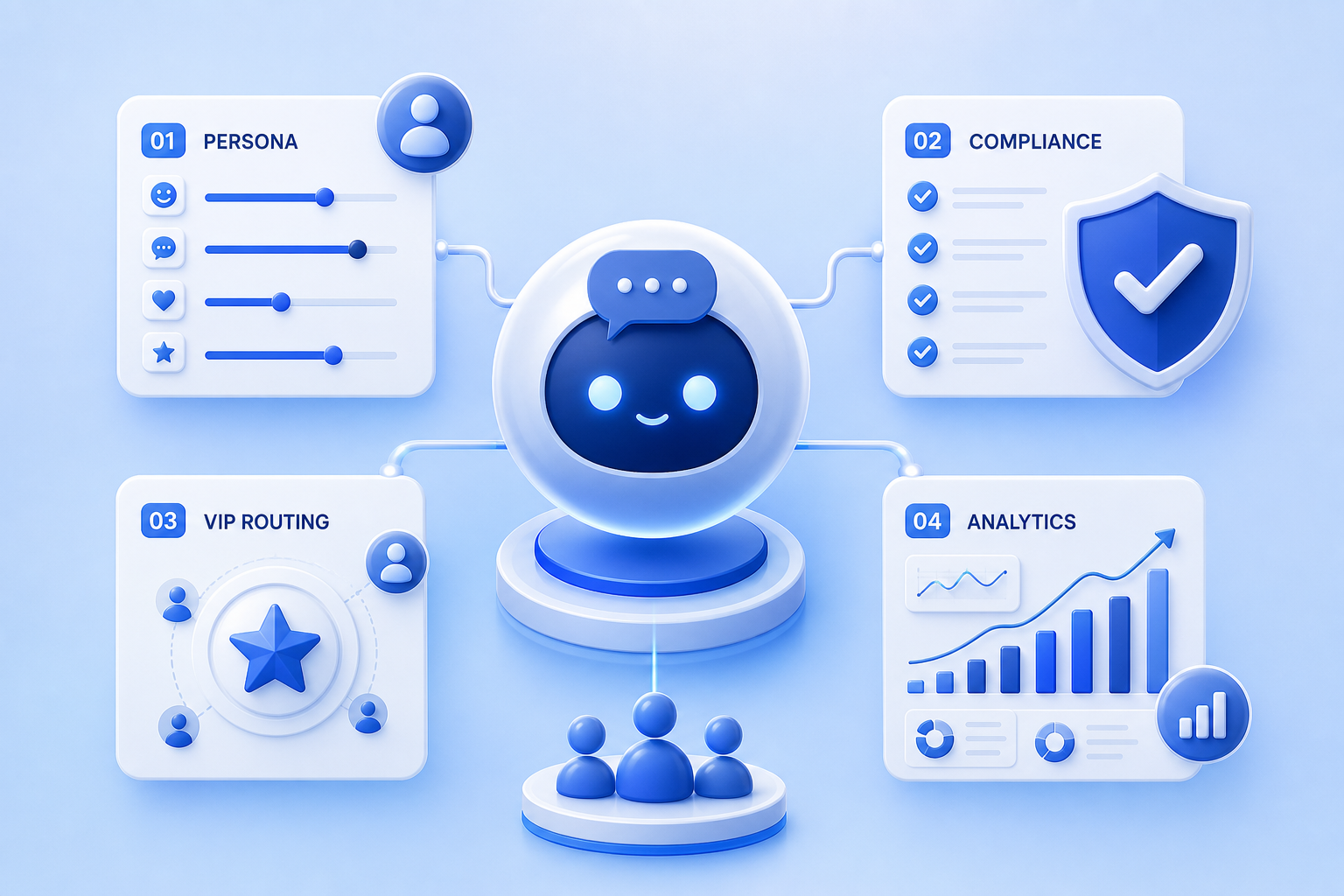
An OnlyFans AI chatbot is not ready because it can produce a convincing message. It is ready when the agency can control its persona, commercial behavior, fan memory, escalation rules, compliance boundaries, and performance measurement.
This implementation checklist helps agencies move from a promising AI demo to a managed production system that protects fan relationships and keeps humans accountable.
Key Takeaways
- Define the creator persona before writing prompts.
- Separate routine conversations from VIP, sensitive, or ambiguous situations.
- Set commercial limits for PPV frequency, price, and follow-up.
- Test with realistic conversation histories, not isolated messages.
- Launch gradually and monitor quality and revenue together.
1. Choose the Deployment Model
Decide whether the system operates as a co-pilot, autonomous assistant, or hybrid workflow. A co-pilot drafts messages for human approval. Autonomous AI sends routine messages directly. A hybrid model lets AI handle defined scenarios while escalating high-value or sensitive conversations to a human.
For most agencies, hybrid deployment provides the best balance between speed and control.
2. Document the Creator Persona
Create a practical persona file containing tone, vocabulary, emoji use, sentence length, humor, boundaries, interests, schedule, location claims, relationship style, and topics the AI must never invent. Include examples of good and bad replies.
The persona should describe behavior, not only adjectives. “Warm” is vague. “Uses short sentences, asks one follow-up question, avoids pet names before the fan uses one” is operational.
3. Define Truth and Privacy Boundaries
List facts the AI may use, facts it must never fabricate, and information that requires human confirmation. Prevent the system from inventing meetings, personal contact details, exclusivity, medical information, or promises the creator cannot fulfill.
Use legitimate account access, appropriate agency permissions, and clear accountability. For a broader review of the platform gray area, see Does OnlyFans Allow Chatbots?.
4. Segment Fans Before Automating
At minimum, distinguish new subscribers, active buyers, VIP fans, inactive fans, renewal risk, and fans requiring manual handling. The AI should not use the same commercial frequency or tone for every group.
Fan segmentation is where the CRM and chatbot must work together. A message generator without reliable fan context will eventually create repetitive offers or ignore relationship history.
5. Set VIP Routing Rules
Define exact escalation triggers: spend threshold, emotional sensitivity, refund complaint, custom request, unusual payment issue, repeated objection, possible safety concern, or a fan explicitly asking for the creator.
Routing should include an owner, priority, response deadline, and a short AI-generated summary so the human chatter can continue without forcing the fan to repeat everything.
6. Build Commercial Guardrails
Set approved PPV price ranges, cooldown periods, maximum offers per time window, discount authority, follow-up limits, and conditions for stopping a sales sequence. Commercial automation should respond to fan behavior rather than sending identical offers on a fixed loop.
Protect long-term value. A short-term PPV sale is not a win if it causes a VIP fan to disengage.
7. Create Conversation Playbooks
Build playbooks for welcome messages, re-engagement, renewal risk, PPV follow-up, content questions, compliments, objections, and handoff. Each playbook should define the objective, allowed information, tone, stop condition, and escalation rule.
Do not turn playbooks into rigid scripts. They should constrain decisions while allowing natural language variation.
8. Prepare the Knowledge Base
Centralize content availability, prices, posting schedule, creator preferences, frequently asked questions, current promotions, and account-specific restrictions. Assign an owner and update cadence. Outdated knowledge creates confident but incorrect replies.
9. Test With Realistic Scenarios
Test full multi-message conversations across different fan segments. Include ambiguous questions, old conversation history, VIP objections, refund complaints, requests outside boundaries, and attempts to push the AI away from its persona.
Score persona consistency, factual accuracy, commercial relevance, repetition, escalation quality, and time saved. A visually impressive reply is not enough.
10. Launch in Stages
Start with a limited group of low-risk conversations. Review outputs daily, then expand the scope when quality remains stable. Keep a rollback path and make it easy for human chatters to take control.
11. Track the Right KPIs
- Response time and conversation coverage.
- Human takeover rate and takeover reason.
- PPV conversion and revenue per active conversation.
- Renewal rate by exposed and non-exposed cohorts.
- VIP retention and complaint rate.
- Persona or factual-error rate from quality reviews.
Do not optimize revenue in isolation. Pair commercial metrics with quality and retention.
Use the benchmarks in OnlyFans Metrics and review why chatbots burn out VIP fans before increasing autonomous message volume.
12. Run a Weekly Quality Review
Sample conversations from every segment, including successful and unsuccessful sales. Update persona rules, playbooks, knowledge, and routing thresholds based on recurring failures. Keep a change log so performance shifts can be connected to configuration changes.
Production Readiness Checklist
- Deployment model selected.
- Creator persona approved.
- Truth and privacy boundaries documented.
- Fan segments available in the CRM.
- VIP and sensitive-topic routing tested.
- PPV limits and discounts configured.
- Conversation playbooks reviewed.
- Knowledge base assigned to an owner.
- Realistic test suite passed.
- Launch cohort and rollback plan defined.
- Quality and revenue dashboard active.
- Weekly review scheduled.
How Substy Supports the Workflow
Substy combines AI-assisted conversation handling with CRM context, fan classification, team permissions, and VIP routing. Agencies can use co-pilot, autonomous, or hybrid workflows while keeping humans responsible for the conversations that matter most. The OnlyFans chatbot guide explains the wider commercial workflow.
FAQ
The Bottom Line
A production-ready AI chatbot is an operating system, not a prompt. Agencies need clear identity rules, fan context, commercial limits, human escalation, realistic testing, and continuous quality control. When those layers work together, AI can increase coverage without sacrificing the relationships that create long-term revenue.

Let AI handle defined routine scenarios while routing VIP, sensitive and ambiguous conversations to an accountable human operator.
Measure conversion and response speed alongside retention, complaints, factual accuracy and human takeovers to prevent short-term optimization from damaging fan value.